
Resource Smoothing in Project Management: Examples + Avaza
Deadlines can be “green” in a plan and still feel brutal in real life.
If you’ve ever shipped on time while your designers worked late three nights in a row, your senior engineer got dragged into every urgent request, and your delivery lead spent the week negotiating resource conflicts, your problem isn’t just scheduling. It’s workload volatility.
Resource smoothing is the project management technique designed for exactly this moment i.e., protect the end date, protect the critical path, and redistribute work to avoid unsustainable peaks.
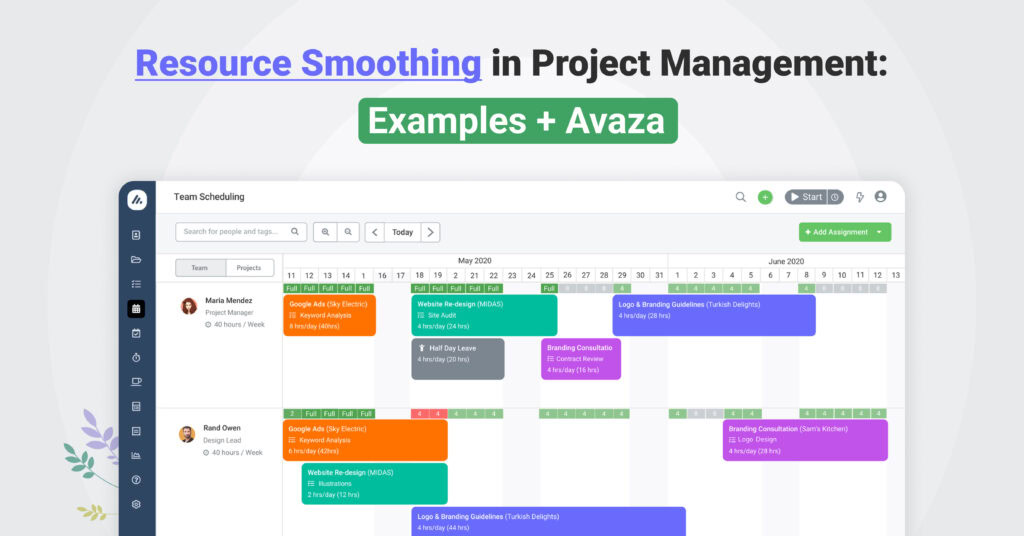
And if you want to do it without wrestling spreadsheets (or endlessly re-baselining a Gantt chart), it helps to use a platform built for the job like Avaza’s project resource scheduling combined with resource utilization and workload management for teams.
If your team is overbooked in “Week 3” every single project, open a unified schedule view and fix the peak once, then reuse the pattern.
Start with Avaza and its resource planning tools.
Avaza-First Overview: The Fastest Way To Smooth Workloads (Without Moving Deadlines)
If you want the practical version of resource smoothing (not the textbook definition), here’s the simplest way to think about it:
- See your real workload across projects and roles
- Spot peaks (over-allocation) early
- Shift only what’s flexible (tasks with float)
- Confirm the deadline stays fixed
- Track actuals so your “smoothed plan” doesn’t drift into fantasy
That workflow maps cleanly to Avaza’s core modules:
Smoothing step | What you’re trying to answer | Where it happens in Avaza |
Build the baseline | “Who is booked, when, and on what?” | |
Visualize the load | “Where are the peaks?” | |
Adjust without chaos | “What can move without moving the deadline?” | Drag-and-drop scheduling + task planning (see Gantt charts) |
Validate constraints | “Did we break anything?” | Reporting + schedule and utilization views |
Close the loop | “Did actual time match the smoothed plan?” |
Why this matters? Resource smoothing fails most often when planning and execution live in different tools. Avaza keeps scheduling, time tracking, and reporting in the same system, so smoothing decisions can be validated against reality, not vibes.
If you want to see your peaks in one timeline, start with Avaza Resource Scheduling and keep a weekly eye on utilization.
What Is Resource Smoothing?
Resource smoothing is a time-constrained scheduling technique that balances resource usage without changing the project end date and without altering the critical path.
You’re not allowed to move the deadline, so you use “wiggle room” (float) on non-critical tasks to spread work more evenly, so people don’t spike to 120% utilization in the same week.
Resource smoothing usually includes actions like:
- Shifting flexible tasks into quieter weeks,
- Rebalancing assignments across people with similar skills,
- Breaking big tasks into smaller chunks that can be distributed,
- Temporarily adding capacity within the same timeframe (for example, a short-term contractor).
The goal isn’t to keep everyone “busy.” The goal is to keep everyone sustainably busy while the project still ships on time.
Critical Path, Float, Slack, Utilization: The Concepts That Make Smoothing Work
Resource smoothing is simple in concept, but it relies on a few terms that get mixed up in practice. This module makes those terms usable.
Concept | What it means | Why it matters for smoothing |
Critical path | The chain of tasks that determines the finish date | You typically do not move these tasks in smoothing |
Float / slack | How long a task can slip without impacting the finish date | This is your “budget” for shifting work |
Resource limits | The maximum load you’ll accept (e.g., “no more than 80% weekly utilization”) | Smoothing aims to keep peaks under the limit |
Utilization | Scheduled or actual workload relative to capacity | This is how you see the problem before burnout hits |
In real teams, “float” isn’t only a Gantt math concept. It shows up as:
- Work that can be done earlier (prep, research, drafts),
- Work that can be done later (documentation, cleanup, polish),
- Work that can be split (build → QA → review as smaller slices).
This is where tools help.
It’s easier to spot “movable work” when your schedule is visual and current. That’s the reason teams lean on Avaza’s resource scheduling view instead of static spreadsheets.
Resource Smoothing Vs Resource Leveling
These two get confused constantly because both address over-allocation. The difference is the constraint you refuse to break.
Aspect | Resource smoothing | Resource leveling |
Primary constraint | Time is fixed (deadline stays) | Resources are fixed (no overload, even if dates move) |
Critical path | Remains unchanged | May change |
What moves | Only tasks with float (non-critical) | Any tasks (critical or non-critical) |
Impact on finish date | Should not change | May extend |
Best for | Client launches, regulatory deadlines, fixed go-live dates | Internal projects, flexible roadmaps, capacity-first planning |
A useful mental shortcut:
- If you’re saying “we must hit the date”, you’re usually in smoothing territory.
- If you’re saying “we must not overload anyone”, you’re usually leveling.
Many mature teams do both:
- Level in long-range planning,
- Smooth in short-range delivery.
When To Use Resource Smoothing (And When It Won’t Be Enough)
Use resource smoothing when:
- The deadline is non-negotiable,
- At least some tasks have float,
- The overload is peaky (a few bad weeks), not permanent.
Resource smoothing won’t be enough when:
- There’s effectively no float (everything is critical),
- Your demand exceeds capacity for months,
- You’re hiding work (meetings, BAU support, pre-sales) outside the plan.
In those cases, smoothing becomes a diagnostic: it proves you need one of these instead:
- Scope reduction,
- Deadline negotiation,
- Additional staffing,
- Switching to resource leveling.
This is also where it helps to quantify the impact. Avaza’s return on investment calculator can support the business case when your “people peaks” are actually a margin and retention risk.
Step-By-Step Resource Smoothing Workflow
Step 1: Build A Baseline Schedule That Includes Capacity Reality
Resource smoothing is only as accurate as the inputs. Your schedule should reflect:
- Who is actually available (time off, part-time),
- Which roles are scarce,
- What work is truly committed (not “nice-to-have someday”).
If you’re centralizing this in Avaza, start with Getting started with projects and confirm your team is ready for scheduling with Setting up for resource scheduling success.
Step 2: Identify Overload Peaks (Not Just “Busy People”)
The key is peaks. A consistently busy team might still be healthy. A team that spikes to 120–140% repeatedly is a churn risk.
Avaza makes peak-spotting easier when you combine:
- Resource utilization (to see load patterns),
- Reporting (to validate by team, project, and time period),
- and resource schedule views (to see what caused the peak).
Step 3: Tag Movable Work (Float-Friendly Tasks)
Movable work tends to fall into categories like:
- Documentation and clean-up,
- Internal reviews that can be scheduled earlier,
- Prep tasks that reduce later rush,
- Non-critical enhancements.
In portfolio environments, teams formalize this by labeling tasks “critical,” “time-sensitive,” or “movable.” Even a light version of that practice improves smoothing dramatically.
Step 4: Shift And Rebalance (While Protecting Context)
Smoothing isn’t only “move tasks to quieter days.” The best smoothing also reduces context switching.
That means:
- Fewer projects per person per day,
- Clearer handoffs,
- Avoiding the “split everything into tiny pieces” trap.
If you’re smoothing in Avaza, this is the point where project resource scheduling does heavy lifting because visual rescheduling is faster than reworking a spreadsheet.
Step 5: Validate Constraints (Deadline, Dependencies, Risk)
After changes, confirm:
- Finish date is unchanged,
- Dependencies still make sense,
- You didn’t quietly create a new bottleneck.
If your workflow uses task scheduling views, Avaza’s Gantt dependencies and autoscheduling can help you see downstream impacts without guesswork.
Step 6: Close The Loop With Actuals (So Smoothing Improves Over Time)
A smoothed plan that doesn’t match actual time is just optimistic fiction. Close the loop by tracking:
- Planned vs actual time,
- Recurring overload causes,
- Repeated “hero weeks.”
This is where project time tracking and online timesheets turn smoothing into a learning system, not a one-time rescue.
Resource Smoothing Examples (Agency, IT Services, Engineering/Construction)
Example 1: Marketing Agency Campaign With Overloaded Designers
A digital agency runs a 6-week campaign with a fixed launch date. Week 3 overload happens because multiple approvals converge.
Before smoothing:
Week | Designer A | Designer B | What’s happening |
1 | 60% | 50% | Discovery + concepts |
2 | 80% | 70% | Refinement |
3 | 130% | 125% | Ads + landing page + social assets collide |
4 | 70% | 65% | Revisions |
5 | 50% | 40% | Pre-launch checks |
6 | 30% | 25% | Post-launch |
Smoothing moves (without moving launch):
- Social assets shift into Weeks 2, 4, and 5,
- Style guide updates get pulled earlier,
- Ad + landing page stay anchored in Week 3 (critical approvals).
After smoothing:
Week | Designer A | Designer B | What changed |
1 | 70% | 60% | Prep work pulled earlier |
2 | 85% | 80% | Some social production starts |
3 | 90% | 88% | Only the critical approval work remains |
4 | 75% | 70% | Remaining assets + revisions |
5 | 55% | 50% | Pre-launch + overflow buffer |
6 | 30% | 25% | Post-launch |
The date stays fixed. The team stays human.
If you run campaigns like this, Avaza’s creative & digital marketing agencies page is a good contextual hub and the operational backbone is agency project management + marketing agency project management software.
Example 2: IT Services Sprint With Spiky Senior Dev Workload
In a 2-week integration sprint, a senior developer gets overloaded by owning the core build plus reviews plus client support.
Smoothing actions:
- Split the “integration task” into setup vs implementation,
- Assign well-bounded sub-work to a mid-level dev,
- Move some review into week 2 where there’s slack,
- Protect uninterrupted blocks to reduce context switching.
For IT services teams, smoothing works best when your schedule view isn’t isolated.
Avaza’s IT services and software consulting automation + collaboration project management tools supports that “single system” approach.
Example 3: Engineering / Construction: Balancing Site Work And Design Work
Engineering teams often hit overload when site inspections cluster and design work spikes afterward, yet the regulatory submission deadline is fixed.
Smoothing moves:
- Pull forward low-dependency CAD/design tasks into earlier weeks,
- Shift non-urgent site visits into later weeks,
- Add short-term capacity only during the peak window.
If you’re in this world, see engineering project management and construction project management software (and for broader fit: architecture & construction software).
How To Do Resource Smoothing In Avaza (Resource Scheduling + Utilization + Repeatable Cadence)
1) Set Up Scheduling So The Picture Is True
Start with these two guides:
- Setting up for resource scheduling success
- Project resource scheduling II: manage resources effectively
Then operationalize the cadence:
- Schedule the team centrally: Schedule your team
- Learn schedule views and details: Schedule details
- Control scheduling rules: Scheduling settings
2) Find Overloads Early Using Utilization Views

When peaks appear, you want two perspectives:
- The “calendar truth” (who is booked when),
- The “utilization truth” (who is beyond capacity).
Helpful Avaza pages:
3) Smooth By Moving Only The Flexible Work
Smoothing usually involves controlled shifts:
- Move non-critical bookings,
- Split assignments when needed,
- Reassign within roles when skills allow.
When scheduling connects to tasks, you get cleaner execution:
4) Turn The Schedule Into Execution Via Timesheets
Smoothing fails when the plan doesn’t flow into “what people actually log.”
Avaza helps you close that gap:
- Create timesheets from scheduled assignments
- Automatically create timesheets from schedule assignments
- Getting started with timesheets
- Timesheet approvals guide
- Lock timesheet entries and How do we lock timesheets
If your team logs time on the move, point them to the apps:
- Avaza time tracking mobile app
- Avaza downloads (including iOS and Android)
If your smoothing is happening in one tool and time tracking in another, you’re paying an “integration tax” in every planning cycle. Consolidate around Avaza so schedule → timesheets → reporting stays connected.
From Smoothed Plan → Budgets → Invoices → Profitability (Where Smoothing Becomes Revenue)
Resource smoothing isn’t only a “team wellbeing” tactic. It’s also a margin tactic because overloaded weeks often create:
- Untracked overtime,
- Rushed work and rework,
- Late invoices,
- Scope creep hidden inside “heroics.”
Here’s how Avaza links smoothing to business outcomes:
Budget Guardrails (So Smoothing Doesn’t Become Scope Drift)
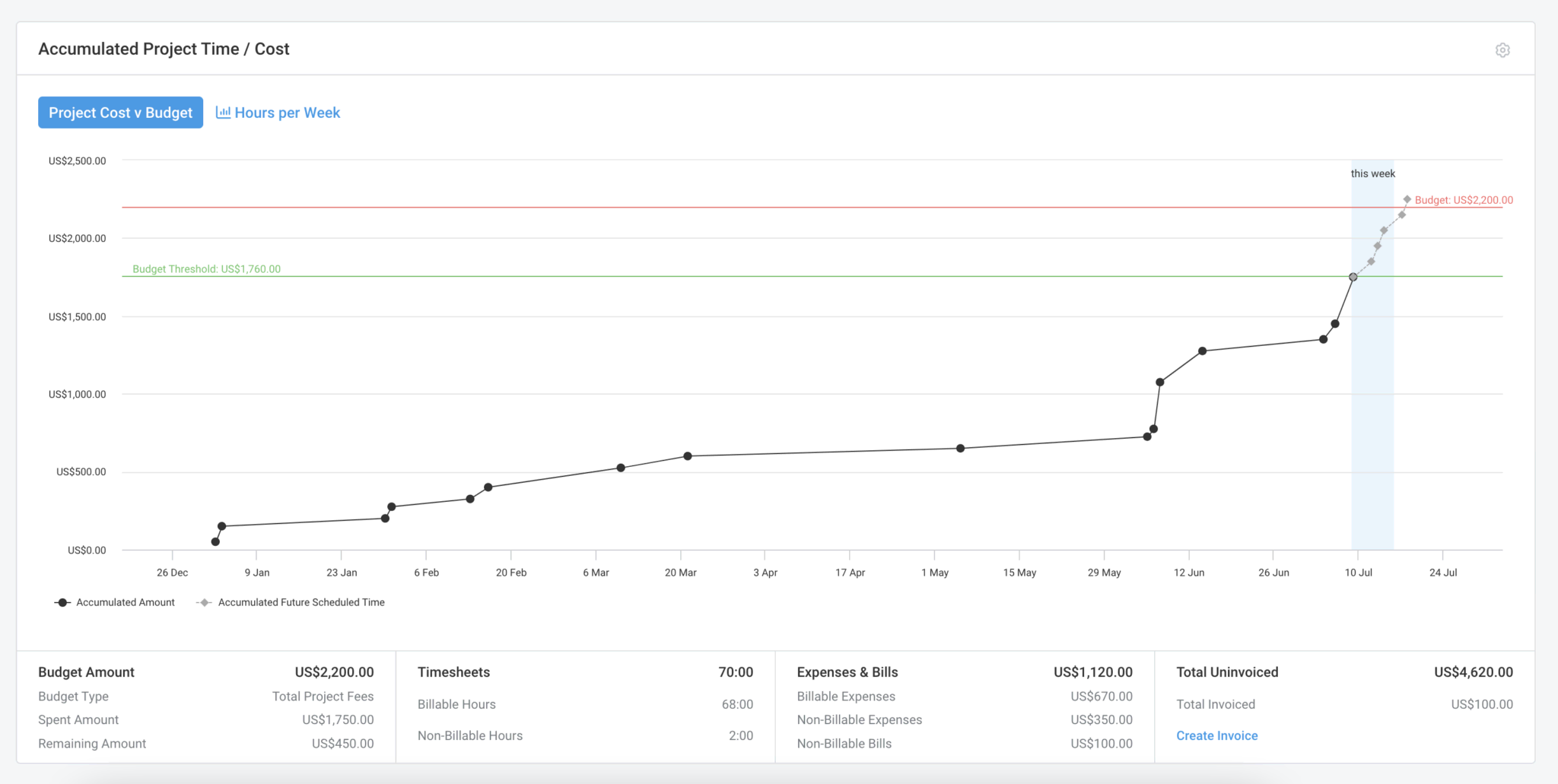
- Project budget management
- Project budget alerts
- For cost visibility: project cost tracking software and project cost estimation
Time → Billing Flow (So Work Turns Into Cash)
- Online invoicing software
- Online quotes and estimates
- Recurring invoicing + Retainer invoicing
- Payments automation: Auto-charge + Stripe integration (and if relevant: PayPal payment support)
Profitability (The “Did Smoothing Help?” Scorecard)
- How to measure project profitability
- Project profitability and project profitability report
- Broader finance reporting: profit and loss report guide and profit-loss report
Tool Comparison Table
If you’re deciding how to operationalize resource smoothing, here’s a straightforward comparison.
Option | What works | Where it breaks | Best fit |
Spreadsheets | Fast to start, flexible | No live utilization truth, hard to maintain dependencies, version chaos | Tiny teams, very short projects |
Traditional PM tools | Strong Gantt/dependency control | Often weak at cross-project utilization & capacity reality | Plan-heavy, single-project focus |
Avaza | Unified scheduling + time tracking + billing + reporting | Requires initial setup discipline | Agencies, consultancies, multi-project delivery orgs |
If you’re migrating from common tools, Avaza has dedicated comparison pages you can reference internally:
- Avaza as a Smartsheet alternative
- Avaza as a Monday alternative
- Avaza as a Wrike alternative
- Avaza as an Asana alternative
- Avaza as a Trello alternative
- Avaza as a Toggl alternative
- Avaza as a Teamwork alternative
FAQs
What is resource smoothing in simple terms?
Resource smoothing is spreading work more evenly without changing the finish date. You move tasks with float away from overloaded periods so people don’t hit unsustainable peaks.
Does resource smoothing change the critical path?
No. By definition, smoothing should not change the critical path. If you start moving critical tasks and the finish date changes, you’ve moved into resource leveling territory.
What’s the difference between resource smoothing and resource leveling?
Smoothing keeps the deadline fixed and uses slack on non-critical tasks. Leveling keeps capacity realistic even if deadlines move.
Can you do resource smoothing in Agile or sprints?
Yes. In Agile, smoothing shows up as:
- Balancing role bottlenecks (QA, senior review, design),
- Distributing work across sprints while protecting a release date,
- Keeping utilization stable so velocity isn’t destroyed by burnout.
Is resource smoothing only for people?
No! Smoothing applies to any constrained resource: environments, equipment, approval cycles, even “shared services” like DevOps or Finance.
How do you perform resource smoothing in Avaza?
A practical pattern is:
- Visualize your team’s schedule via resource scheduling,
- Check peaks via utilization and staff utilisation reports,
- Move only flexible bookings,
- Convert the schedule into execution using timesheets,
- Validate outcomes with reporting and profitability reporting.
Smooth Workloads Without Moving Deadlines
If your projects hit dates but your team hits exhaustion, resource smoothing is the fix and it becomes dramatically easier when scheduling, time tracking, and reporting live together.
Ready to run smoothing like a system instead of a fire drill?
Start with Avaza Resource Scheduling, validate load with Resource Utilization, and connect delivery to outcomes through Timesheets and Reporting.
When you’re ready to implement:
- See plans and tiers on Avaza pricing
- Or talk it through via book a call / contact