
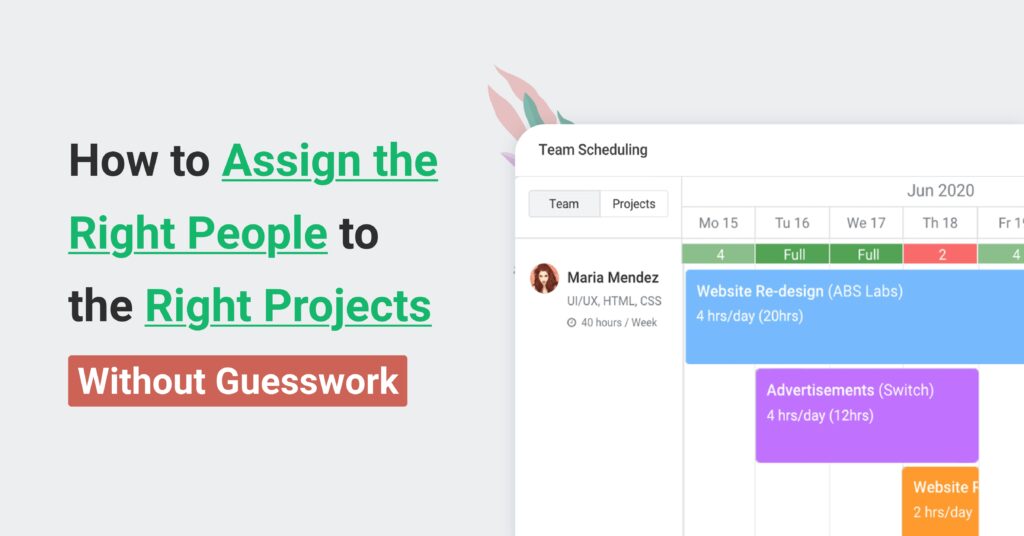
Project Staffing: How to Assign the Right People to the Right Projects (Without Guesswork)
If project staffing feels like a constant shuffle—your “star” people are on everything, timelines slip because the right skills weren’t available, and some teammates are overloaded while others wait for work—you don’t just need better intentions. You need a system.
Avaza is built for exactly this: connecting project planning + resource scheduling + time tracking + reporting so staffing decisions aren’t based on memory, spreadsheets, or last-minute Slack threads. In one place, you can plan work in project management and collaboration, schedule people with project resource scheduling, capture actual effort through online timesheets and project time tracking, then improve decisions using reporting and utilization visibility.
🔑 If you’re currently staffing out of a spreadsheet, open Avaza’s resource planning view and map just your next 2–4 weeks. That one change often reveals why projects are slipping.
Why Project Staffing Breaks As You Scale
Project staffing breaks when the number of moving parts grows faster than your process. Early on, staffing is manageable because you have a small team, a few projects, and limited specialization. But as you add clients, run projects in parallel, and hire specialists, “Who’s free this week?” becomes a dangerous question.
The real staffing question is: Who is the best fit for this work, during this window, at a sustainable workload—without creating downstream delivery or profitability problems? That’s the heart of project staffing in your draft , and it becomes non-negotiable as soon as projects overlap.
When staffing breaks, you’ll see predictable symptoms:
- “Hero dependency” bottlenecks (one person becomes a single point of failure)
- Burnout and overtime
- Underutilization (quiet benches) and wasted salary cost
- Late delivery and scope churn
- Margin leakage because the wrong role did the work at the wrong time
Avaza helps because staffing is not a separate document—it’s connected to the work, time, and outcomes, so planning and reality stay in sync.
What Is Project Staffing?
Project staffing is the process of assigning the right people to the right roles and tasks based on skills, availability, workload, and project constraints (budget, timeline, scope) .
It’s not simply “resourcing.” Staffing focuses specifically on people allocation—who does what, when, and how much—so the project can deliver without burning out the team or undermining profitability.
In practice, project staffing includes:
- Translating project scope into roles, responsibilities, and estimated effort
- Forecasting capacity across the portfolio
- Scheduling allocations with visibility into conflicts
- Tracking planned vs actual time
- Adjusting quickly when projects change (because they always do)
Project Staffing Vs Resource Planning Vs Resource Management
These terms get mixed up, so here’s a clean, searchable breakdown.
Term | What it means | What you’re trying to solve | Where Avaza fits |
Project staffing | Assigning people to project roles/tasks | “Who should do this work—and when?” | Project resource scheduling + workload visibility |
Resource planning | Forecasting capacity and demand over time | “Do we have enough capacity to deliver?” | Resource planning + constraints visibility |
Resource management | The umbrella discipline (people + tools + budgets) | “How do we allocate resources across the business?” | Combines staffing + time + reporting |
This aligns with your original distinction , but makes it easier for search engines (and AI answers) to quote cleanly.
What Results Should Project Staffing Deliver?
A strong project staffing process should reliably produce five outcomes:
- Predictable delivery (fewer surprises caused by resourcing conflicts)
- Balanced workload (sustainable capacity, fewer burnout spikes)
- Better utilization (less bench time, fewer hidden bottlenecks)
- Higher quality (less rework from skill mismatches)
- Healthier margins (the right role doing the right work at the right time)
Avaza supports these outcomes by linking staffing decisions to actual timesheets, utilization, and performance—so staffing gets smarter each cycle.
The 5-Step Project Staffing Workflow
Here’s the staffing workflow you can run weekly (or twice weekly if you’re in high-change environments like agencies, consulting, or IT services).
Step | The staffing question you answer | Output | Avaza feature that supports it |
1. Define demand | “What work is coming and what does it require?” | Roles + effort + timing | |
2. Forecast capacity | “Do we have enough availability?” | Capacity vs demand view | |
3. Allocate & schedule | “Who’s assigned, and where are conflicts?” | Staffing plan + allocations | |
4. Track actuals | “Is reality drifting from plan?” | Planned vs actual | |
5. Improve & report | “What should we change next cycle?” | Utilization + profitability insights |
Step 1: Define Project Demand Using Scope, Roles, And Effort

You can’t staff well if “the work” is vague. This module is about turning scope into staffing requirements.
Start by documenting three things:
- What the project must deliver (objectives + acceptance)
- Which roles are required (not names yet—roles)
- How much effort is needed and when (rough is fine; consistent is better)
If you need structure, borrow standard project definition concepts like project goals, project requirements, and project documentation. When scope is still evolving, a lightweight project proposal gives you enough clarity to make “tentative” staffing decisions without overcommitting.
To estimate effort cleanly, break work into chunks. A work breakdown structure is useful because it translates fuzzy deliverables into assignable components. If you want the people-side view, a resource breakdown structure (RBS) helps define what resource types (roles/skills) are required.
In Avaza: create the project and tasks in project management and collaboration, then keep staffing assumptions visible where execution happens. That reduces “shadow staffing plans” living in separate docs.
🔑 If your intake is currently a form + spreadsheet, try building a repeatable template inside Avaza and reuse it. (Avaza also supports modular setups; see enabling/disabling Avaza modules.)
Step 2: Forecast Capacity With Availability And Resource Constraints

Capacity planning answers: Do we have enough bandwidth to deliver this work at the required quality?
Most teams get this wrong because they treat availability as binary (“free” or “busy”). Real capacity depends on:
- Work hours and non-working days
- Existing project allocations
- Meetings and admin load
- Context switching across multiple projects
- Known constraints (time zones, seniority, compliance)
The easiest way to explain constraints in staffing language is this: even if someone has 10 hours available, those hours may not be usable for this project. That’s why teams benefit from modeling resource constraints explicitly, instead of discovering them when the project is already late.
In Avaza: forecasting is easier because scheduling and workload live together. You can create planned assignments and then compare what you think will happen against what’s already booked.
Step 3: Allocate And Schedule Work Across Multiple Projects
Allocation is where most staffing errors happen. A great staffing plan balances three variables (from your original “triangle” concept ):
- Right person (skills + experience + context)
- Right time (availability during the project window)
- Right workload (sustainable, not heroic)
Instead of staffing by vibes, define a simple allocation rule: allocate by role first, then fit by skills, then confirm workload. That avoids the common trap where you start with names (often the same star people) and rationalize later.
This is where visual scheduling matters. When staffing is shown as a timeline, hidden problems become obvious:
- Two projects overlapping on the same specialist
- A “part-time” allocation that isn’t actually feasible
- A role ramping up too late (causing downstream rework)
In Avaza: the best starting point is project resource scheduling. If you want a “portfolio view,” complement it with workload management tools and utilization visibility via resource utilization.
📓 Practical note: if your team uses calendars heavily, linking tasks and schedules into that workflow reduces friction. Avaza supports calendar-oriented work patterns (see Avaza calendar view and scheduling-related guidance such as schedule details and schedule your team).
Step 4: Track Actuals With Timesheets, Progress, And “Planned Vs Actual”
Staffing isn’t finished when you assign people. It’s finished when your plan matches reality.
That requires one feedback loop: planned allocations → actual time → staffing adjustments. If you don’t track actuals, you keep repeating the same estimation and staffing mistakes.
Avaza makes this loop easier because actuals are captured through:
- Project time tracking
- Online timesheets
- Mobile-friendly capture via Avaza time tracking mobile app and broader downloads
Once you have consistent time capture, you can answer questions that matter operationally:
- Are we underestimating effort by role?
- Which projects are consuming unplanned capacity?
- Who is trending toward burnout?
- Where is non-billable time spiking?
Step 5: Improve Staffing Decisions With Reporting, Utilization, And Alerts

This module is where staffing becomes strategic: you stop reacting and start improving.
A mature project staffing process uses a few key metrics (not dozens). Here’s a clean set you can track monthly.
Metric | Why it matters | Helpful Avaza reference |
Utilization by person/team | Prevents burnout + underuse | |
Workload forecast | Predicts conflicts before they happen | |
Billable vs non-billable time | Protects margins | |
Planned vs actual effort | Improves estimation accuracy | |
Project profitability | Prevents margin leakage | |
Budget risk | Stops “silent overruns” |
In Avaza: reporting is native via reporting and dashboard visibility via project dashboard (also see account dashboard visibility for governance).
Multi-Project Staffing Without Context-Switch Chaos
Multi-project staffing is where good teams get punished. Even if people technically have hours available, constant switching destroys throughput.
To staff multiple projects sustainably, aim for staffing patterns that protect focus:
- Keep high-focus contributors on fewer concurrent “deep work” projects
- Batch similar work on the same days (especially for specialists)
- Use predictable staffing rhythms (weekly staffing review + midweek adjustments)
- Avoid “invisible” allocations like support requests that don’t show up on schedules
This is also where role clarity matters: when ownership is unclear, tasks bounce around, and everyone loses time.
Avaza helps because schedules and tasks are connected. You can keep work structured in project management and collaboration and manage load using workload management tools. If your teams live in chat, connect Avaza with tools like Slack integration so staffing changes aren’t missed.
Skills, Seniority, And Role Clarity Using A Skills Matrix And RACI
A skills matrix prevents the “it’s in someone’s head” problem. A RACI prevents the “everyone thought someone else owned it” problem.
For clarity:
- A skills matrix is a structured inventory of who can do what (and at what proficiency).
- A RACI matrix defines who is Responsible, Accountable, Consulted, and Informed.
Here’s a practical RACI example you can reuse for staffing reviews:
Staffing activity | Responsible | Accountable | Consulted | Informed |
Define staffing demand | Project Manager | Delivery Lead | Sales/Ops | Team |
Approve staffing plan | Resource Manager | Ops/Director | PMs | Team |
Resolve conflicts | Resource Manager | Delivery Lead | PMs | Clients (if needed) |
Monitor burnout risk | Resource Manager | Ops/Director | Team Leads | HR |
This module pairs well with project management resource allocation because role clarity + allocation clarity is what prevents chaos.
Common Project Staffing Problems And How To Fix Them
Your original draft names the big three: over/understaffing, skill mismatches, and last-minute firefighting .
Overstaffing happens when you assign too many people “just in case,” creating cost and coordination overhead. Fix it by staffing the minimum viable team for the next milestone, and scaling up only when the workload proves it.
Understaffing happens when you staff only the “happy path.” Fix it by staffing for the constraint (usually a specialist role) and setting a backup plan early.
Skill mismatch creates rework. Fix it by making skill requirements explicit during intake (Step 1) and reviewing fit during allocation (Step 3).
Last-minute staffing is a symptom of poor forecasting. Fix it by running a weekly staffing review and forecasting at least 4–8 weeks out (more for long programs).
Avaza supports these fixes through connected scheduling + time tracking, so the staffing plan is always grounded in evidence, not assumptions .
Why Spreadsheets Aren’t Enough For Project Staffing
Spreadsheets are fine until the moment they aren’t. The breaking point is usually “multiple projects + frequent change + specialization.”
Capability | Spreadsheet staffing | Staffing in Avaza |
Single source of truth | Hard (versions everywhere) | One system |
Conflict visibility | Manual | Visual scheduling |
Planned vs actual | Disconnected | Timesheets feed reporting |
Utilization tracking | Fragile formulas | Built into views |
Change management | Slow | Fast adjustments |
Collaboration | Comments + emails | In-context collaboration |
If you want to keep the blog product-forward without sounding salesy, this is the safest place to say: spreadsheets don’t fail because you’re bad at them—they fail because staffing is a living system, not a static plan.
Why Avaza Is The Best Project Staffing Solution For Growing Teams
Avaza wins for project staffing because it connects the full loop: plan → schedule → execute → measure → improve.
Pain point (what teams feel) | What you need | Avaza feature to reference |
“We keep overbooking the same people.” | Visual capacity + scheduling | |
“We can’t see workload across projects.” | Portfolio workload view | |
“Our staffing plan doesn’t match reality.” | Planned vs actual loop | |
“We don’t know if staffing is profitable.” | Profit and margin visibility | |
“We need alerts before budgets explode.” | Proactive budget controls | |
“Tool sprawl is killing us.” | One connected system |
Because staffing decisions affect billing and profitability, it’s also valuable that Avaza supports financial workflows like online quotes and estimates, online invoicing software, and recurring models such as recurring invoicing or retainer invoicing.
🔑 If you want to validate the business case, run Avaza’s ROI calculator before you change anything.
Optional Comparison Table: Avaza Vs Common Project Staffing Tools
If you’re considering… | Typical gap for staffing | Avaza comparison link |
Monday | Strong boards, weaker staffing loop | |
Asana | Task depth, limited resourcing | |
Trello | Simple kanban, limited forecasting | |
Smartsheet | Sheets power, staffing friction | |
Wrike | Robust PM, staffing visibility varies | |
Teamwork | PM strong, staffing model differs | |
Toggl | Great timers, not full staffing |
FAQs
What is project staffing?
Project staffing is assigning the right people to the right project roles and tasks based on skills, availability, and workload so work is delivered without overloading individuals .
How do you staff a project effectively?
You staff a project effectively by defining roles and effort, forecasting capacity, allocating work based on fit and workload, then monitoring and adjusting as scope and timelines change .
What’s the difference between project staffing and resource planning?
Resource planning forecasts capacity and demand broadly; project staffing assigns specific people to specific work . Avaza supports both through resource planning and project resource scheduling.
When should a team move from spreadsheets to project staffing software?
Move when you can’t confidently answer who is overbooked, which projects are at risk, or whether you can take on new work without hiring .
Can Avaza handle multi-project staffing for agencies and consulting firms?
Yes—Avaza supports multi-project allocations, utilization visibility, and a connected time-tracking loop that fits agencies and consulting teams . For industry-specific context, you can also reference pages like creative & digital marketing agencies or IT services & consulting automation.
Get Started: Simplify Project Staffing With Avaza
Project staffing doesn’t have to be a guessing game. When staffing is connected to real schedules, real time tracking, and real reporting, you stop firefighting and start scaling predictably—without burning out your best people.
If you want the fastest path from “spreadsheet chaos” to clear staffing decisions:
- Explore project resource scheduling to plan allocations visually
- Connect actual work through online timesheets and project time tracking
- Validate cost impact with the ROI calculator
👉 Ready to staff smarter? Check Avaza pricing and book a walkthrough via call booked (or reach out through the contact page) to see your real staffing scenarios mapped in the tool.