
Capacity Forecasting: How to Predict Team Workloads & Plan Confidently (With Avaza)
If you run a creative agency, software services firm, or consulting team, you’ve probably asked the same question in different ways:
- “Can we take this project without burning people out?”
- “When will we hit 90% utilization?”
- “Do we hire now… or can we rebalance the workload?”
Most teams want to answer with data. But in reality, capacity decisions often get made with a mix of gut feel, scattered spreadsheets, and “we’ll figure it out later.”
That’s exactly why capacity forecasting matters and why it’s most effective when it lives inside the same system you use to run projects, schedule people, and track time.
The Fastest Way To Forecast Capacity (And Avoid Overbooking) With Avaza
Capacity forecasting is only as good as the data feeding it. If project plans live in one place, time tracking in another, and resourcing notes in Slack, your forecast becomes a fragile story (not a decision tool).
That’s where Avaza fits in early, not as an afterthought.
Avaza brings together:
- Project planning + collaboration in one workspace
- Scheduling and workload visibility for real capacity forecasting
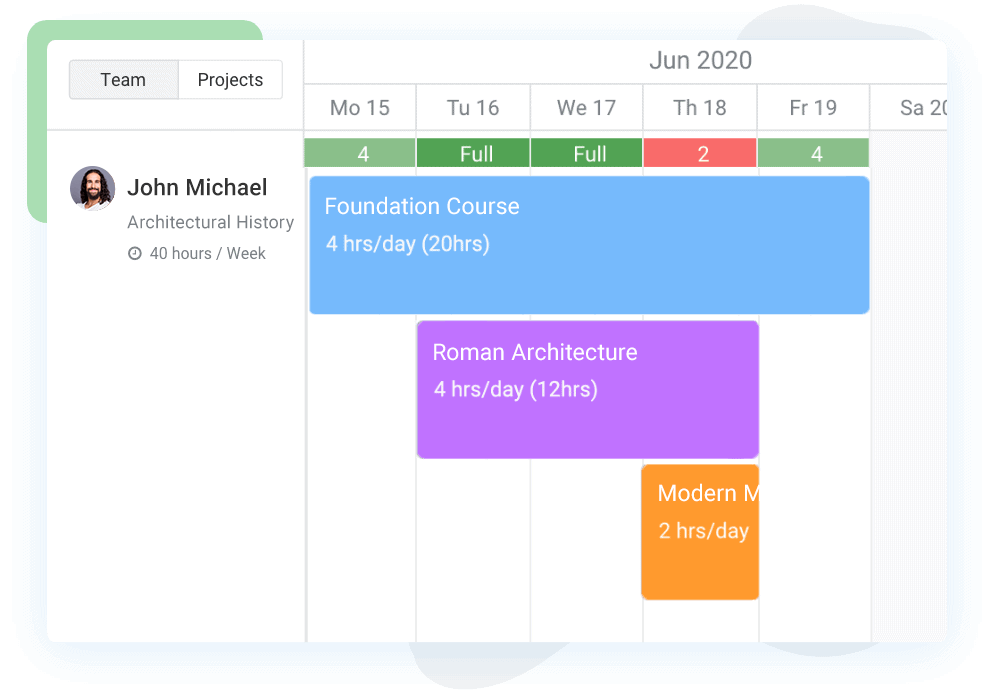
Configure daily availability, skills, billable and cost rate for each team member through a visual platform - Time tracking + timesheets to turn forecasts into continuously-improving reality
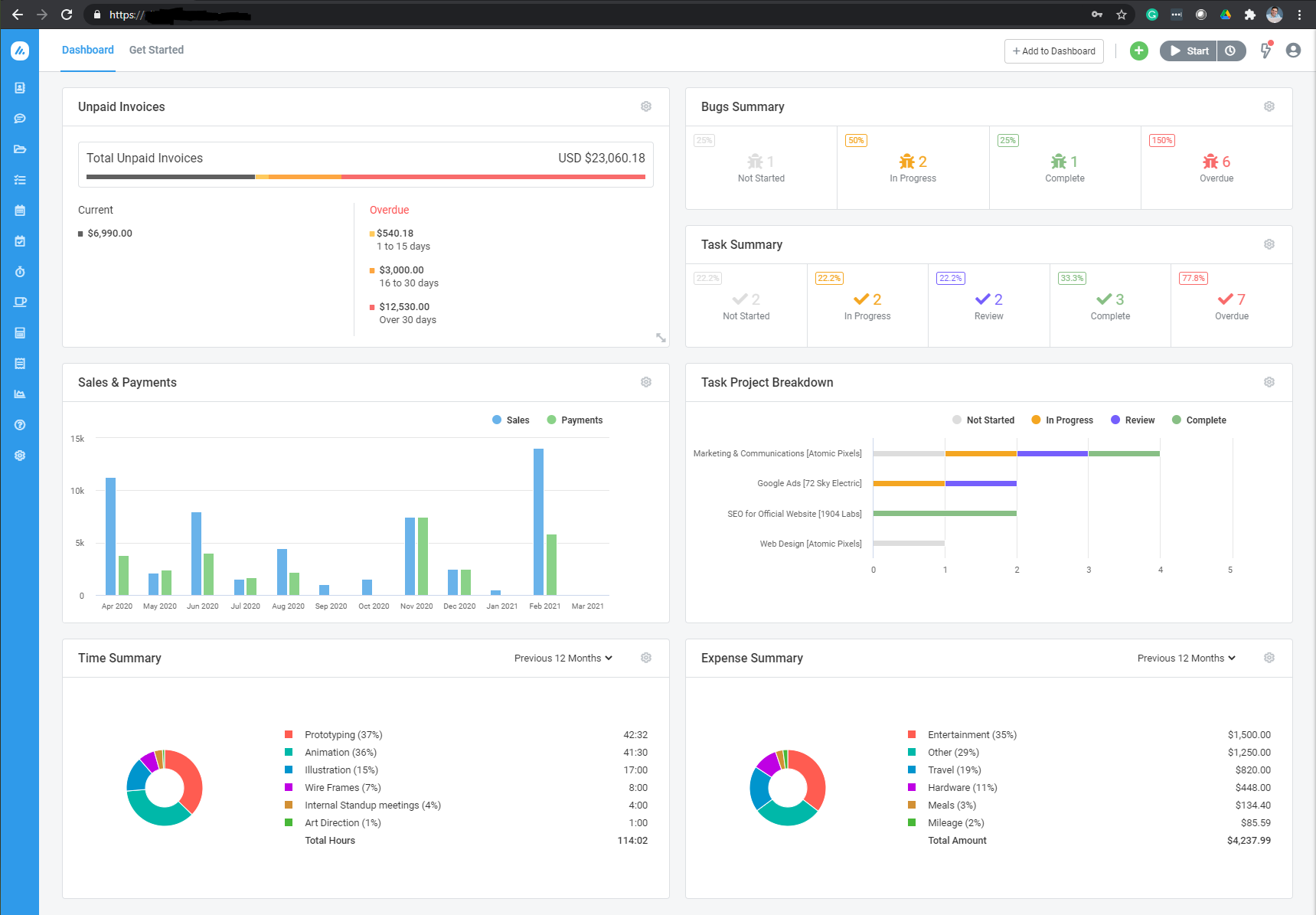
- Reporting dashboards so leaders can act before overload happens

If your “forecast” is currently a spreadsheet that nobody trusts, start by centralizing scheduling + workload in Avaza’s resource planning software, then build forecasting on top of a single source of truth.
What Is Capacity Forecasting In Project Management?
Capacity forecasting is the process of predicting how much work your team can handle in the future based on:
- Available people (headcount, roles, skills),
- Available time (working hours, holidays, PTO, non-billable time),
- And expected demand (confirmed work + probable pipeline).
In plain terms, “it tells you whether your team can realistically deliver what you’re planning to sell and schedule.”
Capacity forecasting answers questions like:
“Do we have enough designers for the next 3 months?” and “If we win two more clients, when do we hit a risk zone?”
Capacity Forecasting Vs Capacity Planning Vs Demand Forecasting
These phrases get used interchangeably, but they’re not the same. Here’s the difference between all three:
Term | What it focuses on | Typical question it answers |
Capacity forecasting | Your team’s future ability to deliver | “How busy will we be next quarter?” |
Demand forecasting | How much work is likely coming | “How many deals/projects will close?” |
Capacity planning | What you change to meet demand | “Do we hire, shift, or reduce scope?” |
- Demand capacity planning = forecasting incoming work
- Capacity forecasting = forecasting what your team can handle
- Together = deciding how to keep them in balance
Why Capacity Forecasting Matters For Agencies, Consultancies, And Service Teams
For service businesses, capacity is the product as it’s your people’s time, skill, and focus.
This is why capacity forecasting is especially high-impact for:
- Creative & marketing agencies: balancing retainers, campaigns, fixed-fee projects
- Software services teams: juggling implementations, support, and delivery
- Consulting firms: staffing engagements while protecting bench time
What Improves When You Forecast Capacity Well?
You prevent burnout before it happens. Forecasting helps you see the weeks where utilization spikes to 100%+ and correct early (move work, rescope, or bring help).
You hire at the right time (and for the right roles). Not “we feel busy,” but “design will exceed 90% for 6 straight weeks.”
You protect profitability. Better staffing means fewer overruns, fewer write-offs, and more predictable delivery, especially when paired with project budget management and project budget alerts.
The 3 Building Blocks Of A Reliable Capacity Forecast
A capacity forecast doesn’t need to be complicated. But it does need consistent inputs.
People: Who Is Actually Available?
A forecast that assumes 40 hours/week of delivery work per person is nearly always wrong.
Realistic delivery capacity accounts for:
- Meetings, admin, training, context switching,
- Mon-billable client work,
- Team leadership load.
In Avaza, this becomes much easier to manage when time and staffing live together: scheduling in project resource scheduling plus actuals coming from online timesheets software.
Work: What Demand Are You Planning Against?
A real forecast includes:
- Signed work (SOWs / confirmed projects),
- Retainers (often the “silent capacity killer”),
- High-probability pipeline (with assumptions).
If you also need to tighten estimating, link your forecasting workflow with how to estimate time for a project and project cost estimation.
Time: When Does Work Happen?
Forecasting isn’t a total-hours problem, it’s a timeline problem. You need weeks/months/sprints, plus:
- Holidays and PTO,
- Known delivery cycles,
- Client deadlines.
Avaza’s advantage: you’re not reconciling separate tools because scheduling + workload + projects live inside one platform. Check 👉 resource planning & resource utilization.
How To Calculate Team Capacity And Utilization (With A Simple Formula)
A capacity forecast becomes actionable when you translate it into utilization and buffer.
A common, practical metric:
Utilization % = Booked delivery hours ÷ Available delivery hours × 100
You can define thresholds like:
Utilization range | What it usually means | What to do |
Under 60% | Underutilized (or demand assumptions too low) | Pull forward work, improve pipeline, invest in internal initiatives |
70–85% | Healthy operating range for many teams | Protect buffer; accept work selectively |
Above 90% | Risk zone | Rebalance scope, shift timelines, add contractors, or hire |
If you want to get more precise about profitability impact, connect utilization to margin tracking via how to measure project profitability and the profit & loss report.
How To Forecast Resource Availability Step-By-Step (A Repeatable Workflow)
Define Baseline Capacity By Role (Not Just By Person)
Start by defining:
- Contracted hours,
- Realistic delivery capacity,
- Role split (if someone wears multiple hats),
- Planned non-billable time.
If you’re doing this in spreadsheets, document assumptions clearly. If you want it to stay up to date without constant manual edits, use Avaza as your system of record for team scheduling.
Once roles and availability are centralized, your forecast stops being a quarterly “exercise” and becomes a living view.
Centralize Committed Work + Probable Pipeline
A forecast without pipeline assumptions is often too optimistic or too conservative.
In Avaza, teams often model:
- Active projects (confirmed),
- Upcoming work (tentative),
- And then adjust assumptions as pipeline changes (without duplicating data across tools).
Translate Projects Into Effort By Role
Projects like “Website redesign” must become role-based demand like design hours, dev hours, PM hours, QA hours.
This is where forecasting becomes “real.” If you need structures for breaking down work, align with:
Visualize Demand Vs Capacity Over Time
Now you want to see:
- Who is overbooked,
- Where bottlenecks show up (often a specific role),
- And where you have buffer to accept work.
Run “What-If” Scenarios Before You Commit
Scenario planning is where capacity forecasting becomes a competitive advantage:
- “What if we win this deal?”
- “What if hiring slips?”
- “What if we delay Project B?”
A spreadsheet can do this, but it’s slow and error-prone. A connected system makes it practical week-to-week.
Turn Your Forecast Into Rules The Business Actually Uses
Forecasts fail when they don’t change behavior. Operationalize with rules like:
- Intake thresholds (don’t exceed 85% utilization for core roles),
- Hiring triggers (90%+ projected for 6 weeks),
- Prioritization principles (what gets paused during spikes).
This is where your capacity forecast stops being “interesting” and starts becoming a decision engine.
Demand Vs Capacity Planning: The Decisions Your Forecast Should Drive
A good forecast doesn’t just describe the future. It helps you choose among levers:
If demand exceeds capacity… | Your options | What Avaza supports |
You’re overbooked | Shift start dates, redistribute work, reduce scope | project resource scheduling + project management and collaboration |
Role bottleneck (e.g., QA) | Add contractors, cross-train, prioritize | |
Margin is being crushed | Re-estimate, renegotiate, change staffing mix | |
You’re underutilized | Pull forward work, invest in ops, improve pipeline |
Capacity Forecasting Models: Spreadsheet Vs Tool-Based Forecasting
Spreadsheets are fine until they aren’t. They work for small teams and stable demand.
But they struggle when you have multiple projects, mixed roles, PTO variability, and pipeline uncertainty.
Approach | Best for | Strength | Limitation |
Spreadsheet forecasting | 5–15 people, low complexity | Fast to start | Breaks easily; hard to maintain scenarios |
Hybrid (sheet + PM tool) | growing teams | Some structure | Double entry; mismatched data |
Tool-based (Avaza) | agencies/services with many moving parts | Single source of truth | Requires setup, then compounding payoff |
If you’re already tracking projects and time, moving forecasting into the same platform is the simplest way to make your capacity forecast trustworthy. Avaza is built for this end-to-end workflow.
Common Capacity Forecasting Mistakes (And How To Fix Them)
⚠️ Mistake: treating contracted hours as delivery hours.
🔑 Fix: define realistic delivery capacity (often 60–80%).
⚠️ Mistake: ignoring PTO, holidays, part-time schedules.
🔑 Fix: build calendars into your process, not as a last-minute adjustment.
⚠️ Mistake: forecasting in isolation (sales vs delivery vs ops).
🔑 Fix: use a shared system for forecasts so commitments and staffing assumptions don’t diverge.
⚠️ Mistake: estimates treated as certainties.
🔑 Fix: track estimated vs actual and refine—Avaza supports this feedback loop through time tracking + reporting.
How Avaza Supports Capacity Forecasting End-To-End (Feature → Pain Point Map)
Avaza isn’t “just a forecasting tool.” It’s a connected platform that makes forecasting accurate because it’s tied to real work and real time data.
Pain point teams feel | What to do about it | Avaza capability to use |
“We don’t know if we can take new work.” | See future capacity by role/time | |
“Our best people are constantly overbooked.” | Track load and bottlenecks | |
“Spreadsheets don’t match reality.” | Connect forecast to actuals | |
“We lose margin on fixed-fee work.” | Budget + track costs and time | |
“Leadership wants one dashboard.” | Roll-up reporting for decisions | |
“Tools don’t talk to each other.” | Integrate your workflow |
For security and compliance, check these 👉 security, GDPR, and multi-factor authentication.
Industry Examples: Agencies, Software Services, And Consulting Teams
Capacity Forecasting For Creative & Marketing Agencies
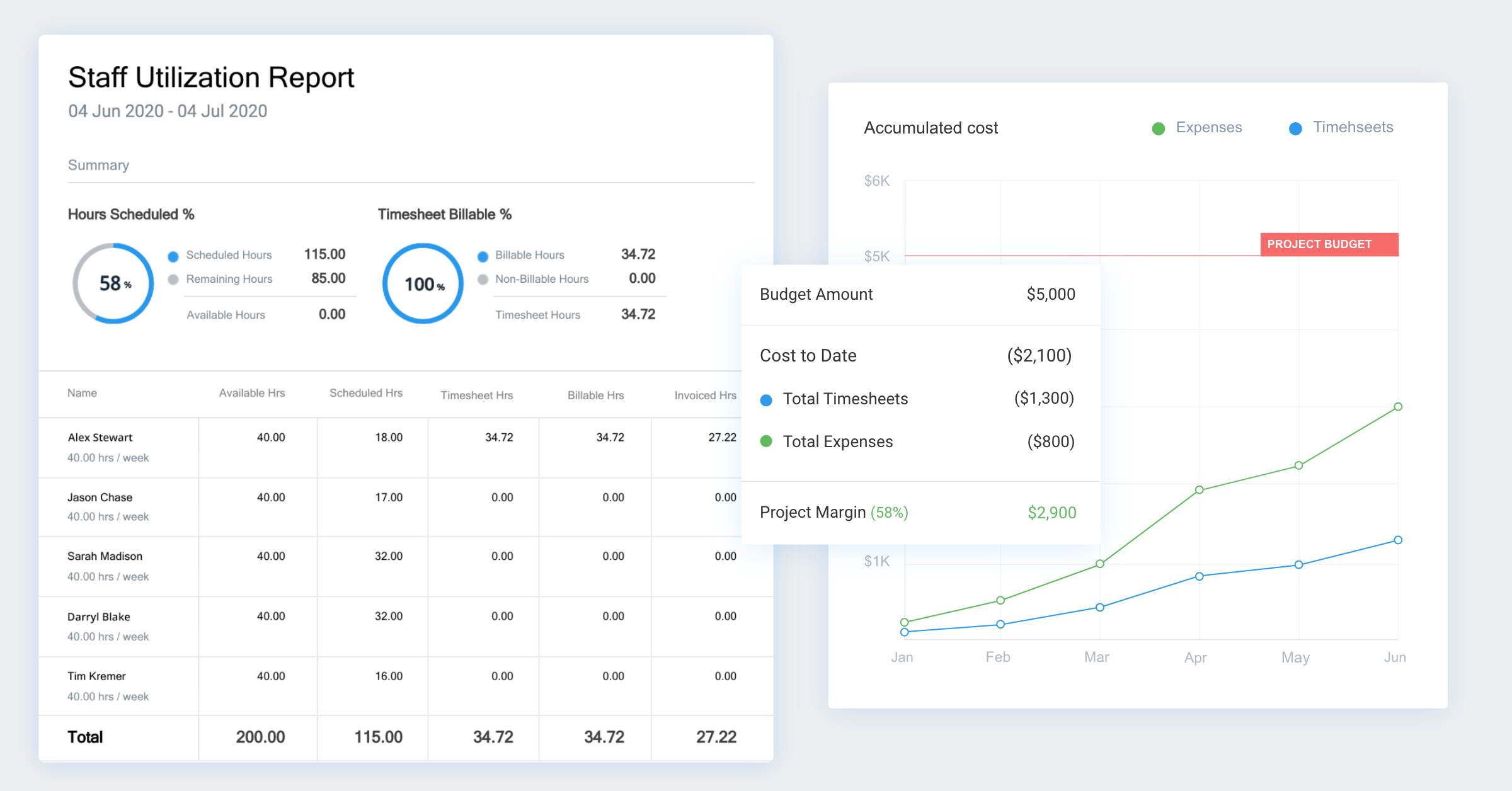
Agencies typically struggle with “invisible” work like retainers, revisions, internal reviews, and client comms. If you only forecast on project timelines, you underestimate demand.
In Avaza, agencies commonly use:
- Resource scheduling to set realistic delivery windows,
- Timesheets to capture true retainer drain,
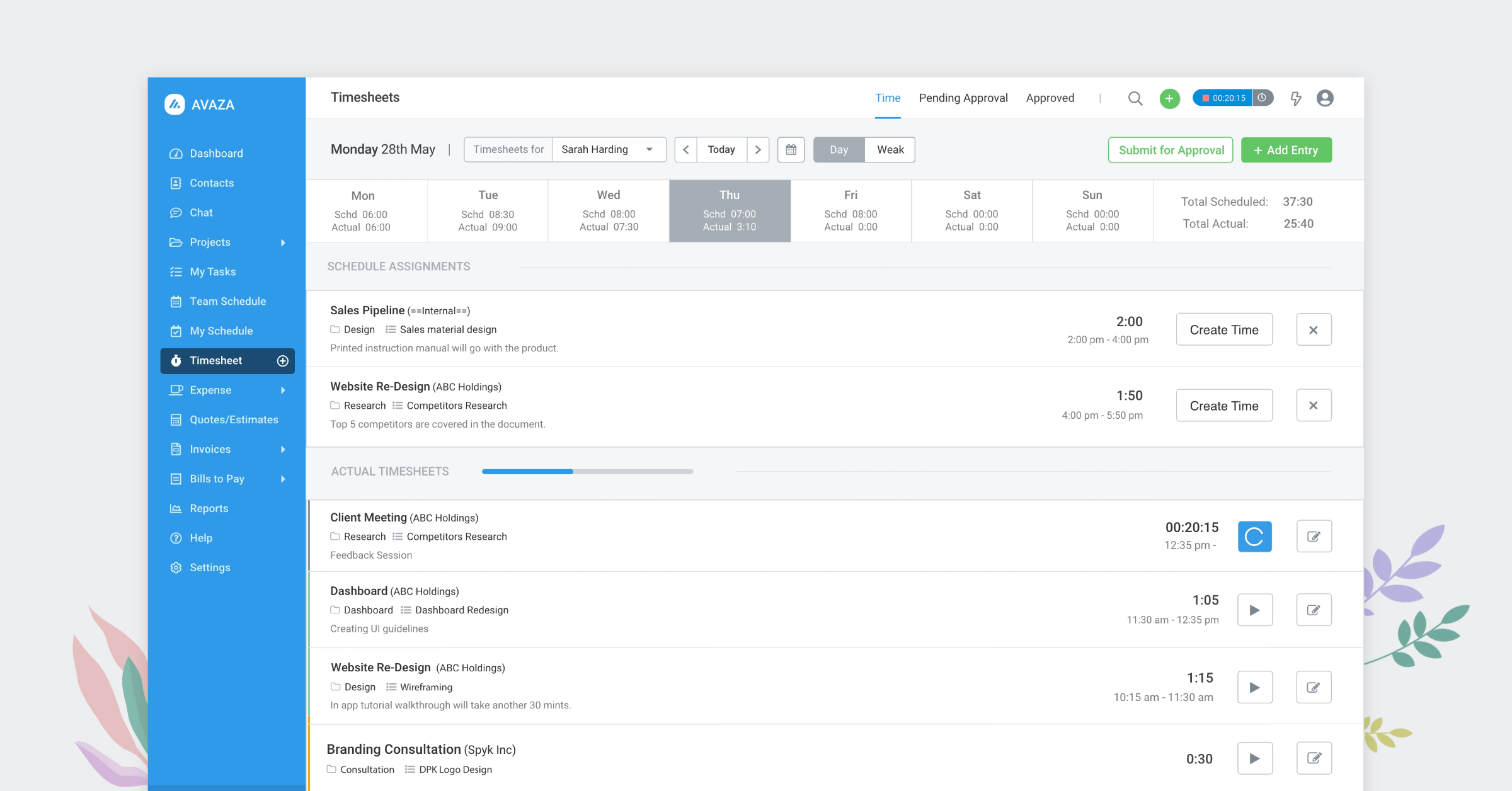
- Reporting to protect utilization buffers.


📖 Helpful internal reads for you:
Capacity Forecasting For Software Services Teams (Implementations, Dev Shops)
Here the big issue is mixed allocation 👉 delivery + support + internal improvements + “quick fixes.” Forecasting only against project plans misses ongoing demand.

📖 Helpful internal reads for you:
- IT services and software consulting automation
- Integrated project management and source control
- GitHub integration
Capacity Forecasting For Consulting Firms
Consulting capacity is rarely “40 billable hours/week.” Seniors sell and lead; juniors deliver; managers unblock. So your forecast must reflect role reality.
📖 Helpful internal reads for you:
Capacity Forecasting Tools Comparison (Avaza Vs Popular Alternatives)
Tool category | When it works | Where it breaks for forecasting | Avaza advantage |
Task-only tools (e.g., Asana/Trello) | Simple task tracking | Weak scheduling + utilization forecasting | Avaza includes scheduling + time + reporting |
Time-only tools (e.g., Toggl/Harvest) | Tracking hours | Doesn’t forecast future load well without PM context | Avaza ties time to projects and schedules |
Spreadsheet planning | Small teams | Manual upkeep + scenario friction | Avaza reduces double entry and drift |
📖 Helpful internal reads for you:
- Asana alternative
- Trello alternative
- Toggl alternative
- Monday alternative
- Smartsheet alternative
- Wrike alternative
If your current tool can’t show “who is overbooked next month” without exporting to a spreadsheet, it’s not really solving capacity forecasting. Avaza’s project resource scheduling is built specifically for that.
30-Day Rollout Plan To Operationalize Capacity Forecasting
Week | Outcome | What to set up in Avaza |
Week 1 | Baseline capacity assumptions | team roles + working time in resource planning software |
Week 2 | Centralized demand | projects + structure in project management and collaboration |
Week 3 | First forecast you can trust | scheduling + workload in project resource scheduling |
Week 4 | Decision rhythm | dashboards + routines using reporting |
🧮 Check Avaza’s return on investment calculator.
FAQs
How often should we update a capacity forecast?
Most teams review monthly or every sprint (2–4 weeks) and update when headcount, timelines, or PTO changes.
Can small teams benefit from capacity forecasting?
Yes! Especially 5–10 person teams where one overloaded specialist breaks delivery.
What data do I need to start forecasting resource availability?
You need team data (roles/hours/PTO), work data (projects/estimates/timelines), and optionally historical time data to refine assumptions.
Is capacity forecasting only for billable work?
No! Include internal work, pre-sales, training, and operations, or your forecast will look “fine” right up until delivery collapses.
How does Avaza support forecasting and capacity planning?
Avaza combines project plans, resource scheduling, timesheets/utilization reporting, and financial insight so you can adjust schedules in real time to keep demand and capacity aligned.
Final Takeaway,
Capacity forecasting doesn’t need to be a complex modeling project. It needs to be repeatable and connected to real operational data, so decisions don’t lag reality.
When you combine:
- Workload visibility (future scheduling),
- Time tracking (actuals),
- And reporting (decision dashboards),
…you go from “we think we’re at capacity” to “we can accept this project starting March 10 without breaking the team.”
Ready to forecast team workloads without spreadsheet chaos? Explore Avaza’s project resource scheduling and check pricing or contact Avaza to align your setup with your delivery model.