
The Six Control Layers That Govern AI in Business Software
Governance inside business software comes down to six layers of control.
Identity ties every connection to an accountable person, module access limits where a tool can reach, action controls separate reading from creating, updating and deleting, per-person overrides tighten individual cases, rate caps contain destructive mistakes, and logging makes the settings themselves reviewable.
Each layer answers one question. Together they form a boundary an AI tool cannot talk its way past. You can use this as an evaluation checklist for any platform you run or are considering.
None of these layers is exotic. They’re the same access-control disciplines NIST’s security catalogue has required of systems and processes for years, applied to a new kind of actor.
1️⃣ The first layer is identity. Every connected tool should operate under an identifiable user account, so its access is bounded by a known person’s role and permissions. The standard mechanism is OAuth, an authorisation protocol in which a person explicitly grants a tool access under their own account, rather than sharing passwords or anonymous keys. Identity-bound access has a powerful corollary. A connection cannot exceed the permissions of the person who authorised it. If you can’t delete invoices, neither can any assistant acting as you.

2️⃣ The second layer is module-level access. Not every connected tool needs every part of the system. A reporting assistant may need timesheets and projects but has no business in payments. Good platforms let admins decide which modules the API, and anything connected through it, can reach.
3️⃣ The third layer is action-level control, and it’s where least privilege becomes concrete. Within each module, reading, creating, updating and deleting are different levels of risk, so they should be separately controllable. Read is usually safe to allow broadly. Delete is where the irreversible damage lives, and it should be the hardest thing for any connected tool to do.
Here’s what a sensible starting policy looks like for a connected assistant in a services firm, expressed as a permissions matrix. The exact modules vary by platform; the shape of the thinking doesn’t.
| Module | Read | Create | Update | Delete |
|---|---|---|---|---|
| Projects and tasks | Allow | Allow | Allow | Block |
| Timesheets | Allow | Allow | Follow user’s role | Block |
| Expenses | Allow | Allow | Follow user’s role | Block |
| Invoices | Allow | Block | Block | Block |
| Payments | Allow | Block | Block | Block |
Notice the gradient.
The assistant can be genuinely useful, reading everything, drafting timesheets, creating tasks, while the financially binding records stay under human control and nothing can be destroyed. You can loosen the policy later, per module, as trust builds. Loosening deliberately beats tightening after an incident.
4️⃣ The fourth layer is per-person control. Access needs will differ across your team, so a platform should let admins apply stricter rules to individual users, or block a specific person’s API access entirely, without changing policy for everyone. The intern’s connected tools shouldn’t have the same reach as the operations director’s.
5️⃣ The fifth layer is rate limiting on destructive actions. A person deleting records makes one mistake at a time. A script or agent can make thousands per minute. A cap on deletions per user per hour turns a potential catastrophe into a contained incident. If your platform offers such a cap, note carefully whether it’s on by default or something an admin must configure. Boundaries you haven’t turned on aren’t boundaries.
6️⃣ The sixth layer is logging and review. Governance settings themselves need governance. You want a record of who changed access rules and when, exportable so it can be reviewed outside the system. This is also the honest place to say what logging typically can and cannot tell you, because it’s tempting to assume more than you have. Know precisely which activity your platform records, and which it exposes to you, before you need it in an incident review.
Six layers sounds like a lot of machinery.
In a well-designed platform, many of these controls should live inside the operational software rather than requiring a separate governance project. That matters especially for mid-market professional-services firms that may have multiple delivery teams and administrators but not a dedicated AI-governance function.
The more governance can be enforced through the systems already holding projects, time, expenses and billing data, the easier it is to apply consistently.
To make the layers less abstract, we’ll walk them as concrete product settings in a moment, once we’ve dealt with the most misunderstood layer of all, the human one.
Where Human Approval Actually Fits
Human approval in business software operates at two levels.
Record-level approvals add human review to specific record types, with timesheet and expense approvals the classic case in services firms, and permission design puts a person in the loop for everything else, by restricting a connected tool’s write access so a class of change can only happen through a human.
A universal approval queue for AI actions is rare in business platforms, and where teams build one it tends to degrade. This is the part of the topic where the most confusion lives, so read any vendor’s claims carefully, ours included.
It’s natural to imagine AI governance as a review queue.
The assistant proposes a change, a person clicks approve, the change happens. Some enterprise teams do build exactly that on top of their systems. But before you make it your mental model of safety, you should know two things about it.
Universal approval queues can also become less effective when the volume of routine actions grows. If reviewers are asked to confirm too many low-risk actions, meaningful review can give way to habitual approval. That is why human review tends to work best when it is concentrated on consequential or difficult-to-reverse actions rather than applied indiscriminately to everything.
Security practitioners call the underlying tendency automation bias, our habit of trusting machine output by default. The EU AI Act’s human-oversight provision (Article 14) insists that oversight of high-risk AI systems be effective for exactly this reason; most business software sits nowhere near that regulated category, but the regulators’ scepticism about nominal, rubber-stamp review is well-founded everywhere.
And in most business platforms, a universal AI approval queue simply does not exist as a feature. The AI client can still add its own approval layer. On Claude Team and Enterprise plans, for example, Owners can configure connector actions as Always allow, Needs approval or Blocked. That control sits in the AI client rather than Avaza, and it can narrow what the assistant is allowed to do without expanding the user’s underlying permissions in the source system. What does exist, and has for years, is record-level approval on the workflows where human sign-off genuinely earns its keep. Timesheet and expense approvals are the classic case in services firms, because those records flow into payroll, billing and client invoices.
| Workflow | What Gets Approved | Who Approves |
|---|---|---|
| Timesheets | Submitted time entries before they flow to billing and reporting | Project manager, team lead, or a client contact with an approver role |
| Expenses | Submitted expenses before reimbursement and invoicing | Finance lead or admin |
So where does human control come from when there is no universal approval queue? One mechanism is permission design. If a connected tool is not permitted to update or delete a particular class of record, those changes remain human-controlled.
That is slightly different from a formal human-in-the-loop approval workflow, where an automated process pauses and explicitly waits for approval before continuing. Both mechanisms can protect consequential records, but they should not be described as the same thing.
In this model, the human retains exclusive authority over the restricted action rather than approving an AI-initiated change inside a review queue.
The practical test practitioners converge on, for deciding which actions to restrict, weighs reversibility against consequence. Reading is freely automatable. Creating a draft is low risk, since a wrong draft is deleted in seconds. Updating a live commercial record is riskier. Deleting one, or changing anything that has already reached a client, sits in the quadrant where the tightest control belongs, because you cannot un-send an invoice. Rank your own record types on those two axes and you’ll have a defensible restriction policy in an afternoon.
One honest caveat belongs here.
Enterprise identity vendors increasingly argue that AI agents should eventually hold their own first-class identities with narrowly task-scoped access, rather than inheriting a person’s standing permissions. For large organisations running fleets of autonomous agents, that’s a reasonable direction. For many mid-market professional-services firms today, identity-bound access under a named person’s role, tightened by module and action controls, is a practical and reviewable model that can be implemented using controls already available in operational software.
Don’t let the perfect future architecture stop you from setting real boundaries now.
How Governance Looks in Practice Inside Avaza
Frameworks are easier to trust when you can see one implemented, so let’s make this concrete with how Avaza, a connected platform for professional services that carries projects, people, schedules, time, expenses and billing in one system, applies each layer. If you use different software, this section still serves as a worked example of what to look for.
Start with identity. Avaza supports different connection methods, including Personal Access Tokens, connected applications and its MCP Server. OAuth-based connections, including the MCP Server, operate under the permissions of the Avaza user who authorises them, while API Permissions provide additional controls over what connected tools can access and change. An AI connection cannot exceed that user’s existing permissions.
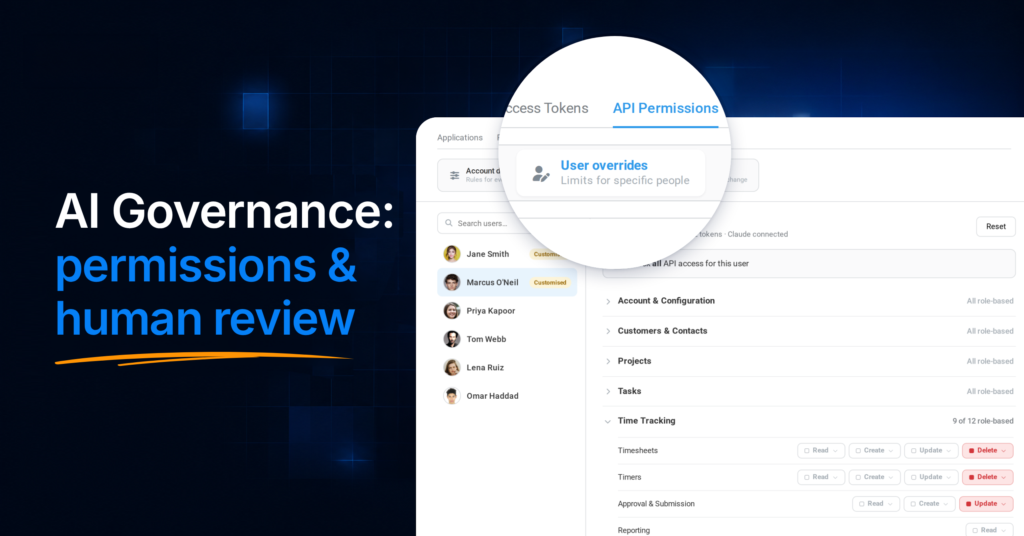
The module and action layers live in a feature called API Permissions, which governs personal access tokens, connected applications and MCP access alike. Admins control Read, Create, Update and Delete access separately across Avaza’s API modules, and for each action can follow existing role permissions, restrict it to admins, or block it entirely. The direction of the feature matters and is worth stating plainly. API Permissions restrict access; they never grant anything beyond a user’s existing role.

Per-person control is built in. Admins can apply stricter overrides to individual users, or block a specific person’s API access entirely. For rate limiting, admins can set a cap on API deletions per user per hour, which helps contain a runaway script or misbehaving integration. Organisations should configure that limit deliberately as part of their governance setup. And for the review layer, the honest sentence is this. API Permission changes are logged and exportable, and connected tools operate under identifiable user permissions.
Deletes through Avaza’s MCP have an additional safeguard: The assistant first previews the deletion and then requires a separate confirmation before the action completes. In clients that support it, that confirmation can appear as an interactive confirmation card.
Through the MCP connection (the setup guide walks through connecting a compatible assistant), assistants can work across projects, tasks, schedules, timesheets, expenses, estimates, invoices, approvals and payments. Where permissions allow, they can create and update records, not just query them, which is what makes the connection genuinely useful for operational work. That’s governed action rather than merely conversational reporting, and the governance is the point. Firms wanting human review of a class of AI-initiated change can restrict Create, Update or Delete access for the relevant modules, account-wide or per user, through API Permissions.

On the record-approval side, timesheet and expense approvals can be enabled and made mandatory for those submissions, including a timesheet approver role for client contacts through the customer portal, and through MCP an authorised user can approve or reject timesheets, and submit expenses for approval.
Does this hold up at scale? One UK software and IT services firm uses Avaza across more than 100 users for timesheets, approvals, expenses, client work, internal projects and reporting. Its operating model includes designated approvers for client work, line-manager approval for internal time, mandatory timesheet notes and locked reporting periods, giving management a more consistent operational record across the organisation. That closes an important loop: AI governance is not only about controlling what an assistant may change. It also depends on the quality and consistency of the operational data the assistant is allowed to use.
For firms exploring AI assistants or internal automation more broadly, this is Avaza’s approach in short 👇
The platform provides MCP and API access across connected project-to-cash workflows, with access constrained by the authorising user’s permissions and configurable API Permissions, giving teams a governed way to extend their operational system with the AI tools they choose. Bring the AI you prefer; the connected context and the controls travel with it. Today, that means assistants working within explicit, admin-set boundaries. As governed agents mature, the firms with clean, well-permissioned operational data will be the ones positioned to hand them more.
👉 Book a call to discuss how Avaza’s MCP and API governance controls fit your setup → | Create a free account to explore the Avaza platform →
How Do You Control What an AI Assistant Can Do in Your Business Software?
You control an AI assistant by connecting it through an identifiable user account and then restricting, in the platform’s settings, which modules it can reach and which actions it can take there.
In a platform with proper controls the sequence takes an afternoon, and it looks like this in practice. You connect the assistant via OAuth under a named person’s account, so its ceiling is that person’s role. You block whole modules it doesn’t need. Within the modules it does need, you allow Read broadly, permit Create where drafts are useful, and hold Update and Delete to the tightest setting the job allows. You add stricter per-user rules for anyone whose connected tools warrant extra caution, switch on any available cap on deletions per hour, and confirm that changes to these settings are logged and exportable.
What you should not rely on is prompt instructions, system messages or vendor assurances that the assistant “won’t” do something. Boundaries live in permissions, and everything else is a polite request.
What Should You Ask Before Connecting AI to Your Operational Systems?
Before any AI tool touches a system holding client or financial records, you want yes-or-know-why answers to seven questions. They map to the six control layers, plus the one organisational question that catches most firms out.
- Whose identity will this connection act under, and is that person’s role scoped the way we’d want an assistant’s to be?
- Can we limit which modules of the system the connection reaches?
- Can we control Read, Create, Update and Delete separately, per module?
- Can we apply stricter rules to specific people, or block an individual’s API access entirely?
- Is there a configurable limit on deletions or other destructive actions, and is it actually turned on?
- Which changes and activities are logged, are the logs exportable, and what exactly would we be able to reconstruct after an incident?
- Who in the firm owns these settings, and when will they review them next?
That last question matters more than it looks.
Mainstream security guidance on least privilege for AI agents converges on the same operational habits, grant only what the specific workflow requires, review and remove unneeded access on a schedule, monitor permission changes over time, and validate new AI tools before they touch production systems. None of that happens without a named owner. In most services firms the natural owner is whoever administers the operational platform today, usually an operations lead or IT-minded director, and the review takes minutes once the layers are set.