
Table of Contents
Resource Scheduling Software for Professional Services: Features and Buyer’s Guide
It’s Monday morning and three project managers need the same senior consultant this week. The delivery director can’t say who actually has capacity, because the answer lives across a scheduling spreadsheet, a leave calendar, two task boards and last week’s timesheets, and they no longer agree with each other.
Meanwhile leadership is asking a simple question the firm can’t answer quickly. “Are we overbooked or underutilised right now?”
If that sounds like most of your work week, you’ve hit the point where resource scheduling software stops being optional for a growing consultancy, agency or technical-services firm. The work has outgrown the spreadsheet. This guide covers what resource scheduling software actually does, the features that matter for a professional-services firm, an honest look at the tool landscape, and how to run the evaluation, so the next capacity question gets answered in seconds, from data everyone trusts.
Before we go further, one point of clarity. This guide is about scheduling people to client work, not meeting-room or desk-booking software, which confusingly shares the “resource scheduling” label.
What Is Resource Scheduling Software?
Resource scheduling software is a tool that lets professional-services firms assign people to projects based on real availability, skills and workload. It shows who is booked, who has capacity and where conflicts exist on one visual schedule, and connects those bookings to the tasks, timesheets and billing that turn planned hours into delivered, invoiced work.
▶️ In Short: Resource scheduling software replaces “I think she’s free next week” with a live, shared answer to who is doing what, when, and what that means commercially.
What Resource Scheduling Software Actually Does
The job of a resource scheduler is a repeating loop, not a static calendar. In practice it runs in four moves:
- See demand. Upcoming project work (tasks, estimated hours, required skills) is visible before anyone is assigned, so workload peaks and gaps show up in advance rather than mid-delivery.
- Allocate by availability. People are booked against their real capacity, meaning working hours, existing assignments, public holidays and leave. Visual availability indicators make over- and under-allocation obvious at a glance, and clash detection stops the same specialist being silently promised to two projects.
- Track planned versus actual. Logged time flows back against the schedule, so a booking that assumed twenty hours and consumed thirty is visible as a variance, early, while there’s still time to rebalance.
- Rebalance and repeat. Drag-and-drop reassignment moves work between people and weeks in seconds, and the loop starts again with better information.
That third step is where most scheduling setups quietly fail, and it’s worth dwelling on. A schedule that never learns from actuals is just a well-formatted guess. We’ll come back to it.
Note the distinction from project scheduling. Project scheduling sequences the work (tasks, dependencies, milestones); resource scheduling assigns the people. Mature firms need both, connected.
Scheduling, Allocation, Capacity and Utilisation Explained
These four terms get used interchangeably, which causes real confusion in evaluations. They’re siblings, not synonyms:
| Concept | The question it answers | Time horizon | Where it lives |
| Capacity planning | Do we have enough people (and the right skills) for the work that’s coming? | Months to quarters ahead | Forecasting and hiring decisions |
| Resource allocation | Which people should be assigned to which projects? | Current and near-term projects | Staffing decisions |
| Resource scheduling | Exactly who does what, when, day by day and week by week? | Days to weeks | The live schedule board |
| Resource utilisation | How much of our available time actually went to (billable) work? | Measured after the fact | Reporting, the reality check on all three above |
Put simply, capacity is the forecast, allocation is the plan, scheduling is the execution and utilisation is the scorecard. Resource management is the umbrella discipline covering all four, so “resource management software” usually describes broader platforms, while “resource scheduling software” names the execution layer this guide focuses on.
A firm can have a full-looking schedule and still poor utilisation, whether through assignments that don’t reflect actual hours worked, bench time hidden between bookings, or non-billable work quietly crowding out billable. That gap is precisely why utilisation deserves its own measurement rather than being assumed from a busy calendar. Industry-wide, it’s under pressure.
Per SPI Research’s 2026 Professional Services Maturity Benchmark, billable utilisation across professional services fell to 66.4% in 2025, the lowest level in the survey’s history and well below the roughly 75% level SPI considers optimal. Firms that can’t see utilisation reliably have little chance of improving it.
👉 If capacity planning is your bigger question right now, we’ve covered forecasting team workloads and capacity in its own guide.
The Buyer’s Checklist of Features That Matter
Feature lists in this category run long.
For a professional-services firm juggling multiple concurrent clients, mixed billing models, approval chains and month-end pressure, these are the capabilities that decide whether the tool works in real life:
| Feature | What to look for | Why it matters for a services firm |
| Real-time availability & leave | Per-person working hours, public holidays and leave visible on the schedule itself | A schedule that doesn’t know about leave produces confident, wrong answers |
| Drag-and-drop with recalculation | Moving a booking instantly updates workloads and conflict indicators | Reshuffling mid-week is normal; hidden knock-on conflicts are not |
| Clash & over-allocation detection | Visual under/over-utilisation indicators per person; warnings on double-booking | Shared specialists are the most common silent failure point |
| Recurring bookings | Repeating assignments (retainers, standing internal time) set once, not rebuilt weekly | Retainer-heavy firms schedule the same patterns every week, and clicks compound |
| Task-to-schedule sync | Changes to tasks (dates, assignees) reflect in the schedule and vice versa | Two sources of truth about the same work always diverge |
| Timesheet integration (planned vs actual) | Scheduled assignments convert to time entries; variance between the two is reportable | This is the learning loop; without it, estimates never improve |
| Billing awareness | The schedule knows billable from non-billable hours, and billable/cost rates per person | Utilisation and margin questions are commercial questions, not calendar questions |
| Utilisation & forecast reporting | Utilisation by person/team, schedule-vs-actual variance, forecasted revenue from bookings | The reports leadership actually asks for on the first Monday of the month |
| Skills & filtering | Find people by skill, role or team; filter the board by project or client | “Who else can do this?” needs an answer faster than a Slack poll |
| Permissions & approvals | Control over who can view vs edit schedules, with role-level permissions and timesheet approvals where the firm wants them | Schedules are commercial data; edit rights shouldn’t be universal |
Treat this table as your RFP skeleton.
Any tool you shortlist should have a clear answer for every row, and the rows a vendor goes quiet on tell you as much as the ones they demo.
Why Scheduling Only Works Connected
Here’s the uncomfortable truth about the category of resource scheduling software for professional services firms ▶️ A standalone scheduling tool, however beautiful, can only be as accurate as the data other systems feed it. And in most firms, that feeding is manual.
Think about what a trustworthy schedule needs to know.
- Which projects are confirmed and what was estimated (that’s your quoting and project data).
- Who is available (leave, holidays, working hours). What people actually worked (timesheets).
- Which hours are billable, at what rates (that’s billing).
- Whether the plan matched reality (reporting).
- When scheduling lives in one tool and each of those lives somewhere else, someone spends part of every week re-typing reality into the scheduler.
The moment they fall behind, the schedule drifts from the truth. Teams stop trusting it, book around it, and the firm is back to hallway scheduling with better graphics.
We’d offer a simple test.
Call it the connected scheduling test: Can your schedule see demand, availability, actuals and billing without a human copying data between systems? Four yeses and your schedule is an operational instrument. Fewer, and it’s a drawing of one.
This is the professional-services case for scheduling inside a connected platform, what the industry calls professional services automation (PSA), namely one system carrying the chain from customer → quote → project → people → schedule → time → expenses → invoice → reporting. Not because all-in-one is fashionable, but because scheduling sits in the middle of that chain and starves without it.
It’s also a scale story, not just a convenience story.
What An Emerging Consideration: AI-Assisted Scheduling
As scheduling data becomes more connected, it becomes useful beyond dashboards and reports. The same live information that helps a delivery manager rebalance work can increasingly be accessed through AI assistants but only when those assistants have sufficient operational context and appropriate controls. AI is therefore worth considering as an emerging extension of resource scheduling, not as a replacement for sound scheduling processes or human judgement.
AI is arriving in this category fast, and it’s worth being precise about the useful version. The dependable pattern today is AI surfacing options for human review, not autonomous booking.
A scheduler or delivery lead should be able to ask, in plain language, “who has capacity for a two-week data-migration workstream starting Monday?” and get a grounded answer drawn from the live schedule, then make the call themselves.
That grounding is the hard part, and it’s why the connected argument above matters double for AI. An assistant that can see tasks but not schedules, time, rates or billing will give confident answers about a business it only partially understands.
Where the platform is connected, this is practical today.
Avaza, for instance, operates a live MCP Server (Model Context Protocol, the emerging standard for connecting AI assistants to business systems), so compatible ChatGPT and Claude environments can query schedules, timesheets, projects and related workflow data conversationally. Through that connection, compatible assistants can also, where permissions allow, create or update scheduling records, not just query them. Access remains limited by the authorising user’s role (connections use OAuth, so an AI connection cannot see or do more than that person already could) and can be restricted further by module and action. Firms requiring human review can restrict Create/Update/Delete access for the relevant modules (account-wide or per user) through API Permissions.
Today, that means AI-assisted answers about capacity, schedules and time, retrieved from live data within permissions and, where a firm chooses to allow it, governed scheduling actions under those same controls. As governed agents mature, more of the preparation around scheduling decisions may be delegated. But “governed access, human judgement on the calls that matter” is the standard a services firm should hold any vendor to right now, including us.
The Tool Landscape, Honestly
Most “best of” lists in this category rank twelve tools without telling you the only thing that matters. The tools belong to three different buckets, and the right bucket depends on what problem you’re actually solving. It’s also the honest answer to the integrated-versus-standalone question, i.e., standalone schedulers win on speed of adoption and specialised UX; integrated platforms win on data that stays connected.
Which trade-off you should take depends on whether your scheduling problem is really a scheduling problem or a disconnected-systems problem.
Bucket 1, project-management platforms (Asana, Trello, Monday, ClickUp, Wrike and similar). Genuinely strong at task management and workflow coordination, often deeper than any PSA in their home territory, and if your problem is task chaos, they may be the right answer. The limits appear when a services firm needs scheduling connected to billing, utilisation reporting, per-client rates and quote-to-cash. Those capabilities typically require higher tiers, add-ons, configuration or additional tools. The relevant comparison is not that task tools are bad. It’s that professional-services operations need broader commercial context than tasks alone.
Bucket 2, dedicated resource schedulers (Float, Resource Guru and similar). Purpose-built for the scheduling job, with fast visual interfaces and near-zero onboarding. Float is particularly loved by agencies and studios for quick drag-and-drop replanning, and Resource Guru for simple calendar-style booking with clash and leave management. The honest trade-off is breadth. Scheduling connects to a stack rather than a system, time tracking is tier-gated in Float (Pro) and Resource Guru (Blackbelt), and neither carries invoicing, so demand, actuals and billing live elsewhere, and the connected scheduling test above depends on how well your integrations hold.
Bucket 3, enterprise PSA (Kantata and its class). Real depth and enterprise customisability across resourcing and project financials, for organisations that need it. The trade-offs are cost, implementation burden and deployment speed, meaning a considered, quoted, project-managed rollout rather than a Tuesday-afternoon signup. For large firms with dedicated resource-management functions, often worth it; for a 30-person consultancy, frequently overkill.
Where does Avaza sit? Deliberately between the buckets. More operationally complete than a PM-only or scheduling-only tool, because scheduling shares one system with projects, time, expenses and invoicing, and easier to adopt and more accessibly priced than enterprise PSA. The candid trade-off is the same one any integrated platform carries.
Avaza may not be the single deepest tool in every individual category, and adopting a connected platform is a bigger process decision than bolting on a standalone scheduler. For operationally mature 10–200+ person firms, that middle is usually the point, namely sophisticated operational context without enterprise software weight.
| Tool | Category | Scheduling + time + billing in one system? | Entry pricing (as of Aug 2026) |
| Avaza | Connected work management / PSA | Yes. Schedule, tasks, timesheets, expenses, invoicing, reporting in one platform | Free plan; paid from $11.95/mo per account, scheduling users $7 each/mo (see pricing) |
| Float | Dedicated scheduler | Scheduling + time (time on Pro tier); no invoicing | $7 per scheduled person/mo (Starter); $12 (Pro) |
| Resource Guru | Dedicated scheduler | Scheduling + timesheets (Blackbelt up); no invoicing | $5 per person/mo (Grasshopper); $8 (Blackbelt); $12 (Master) |
| Monday | PM / work platform | Boards-first; workload views and time tracking on higher tiers, with configuration | Seat-based plans; see vendor pricing |
| Kantata | Enterprise PSA | Yes, at enterprise depth | Custom quote |
Prices are the vendors’ published entry points as of August 2026 and change; verify on each vendor’s pricing page. Pricing models differ structurally (per scheduled person, per seat, or per account with role-based users), so model your own team’s 12-month cost rather than comparing headline numbers.
How Avaza Handles Resource Scheduling
Having laid out what good looks like, here’s how it works in Avaza, offered as the worked example of the connected approach.
Avaza’s resource scheduling puts the whole team’s schedule on one interactive board.
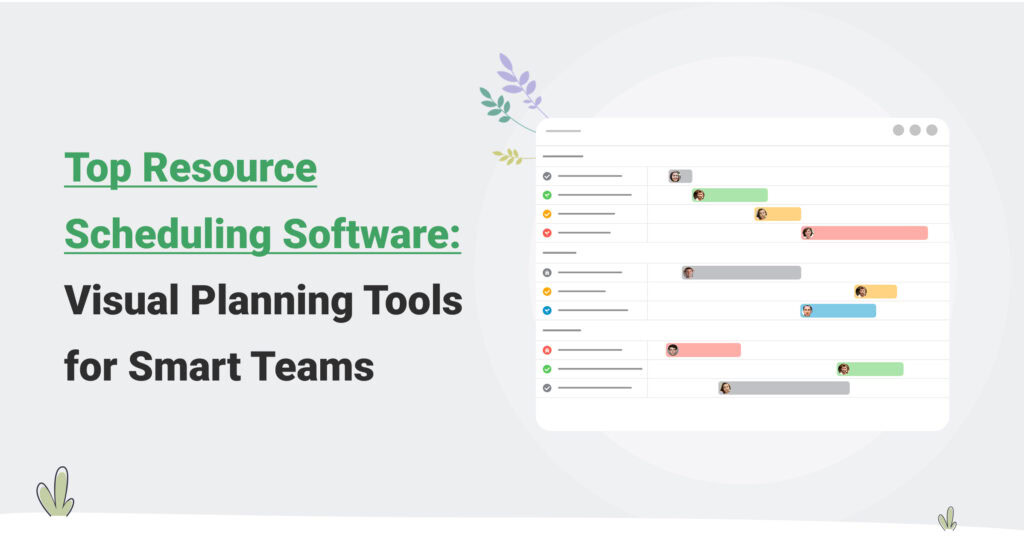
Create assignments, then reschedule and reassign with drag-and-drop as priorities move. An availability bar shows who is under- and over-utilised at a glance, colour-coding separates project types, and search, filter and sort get you to a specific person, team or client in seconds. Availability is configured per person, covering daily working hours, skills, billable and cost rates, with public holidays and leave on the schedule itself, so conflicts surface before they’re promised to a client.
One direction worth flagging for evaluators is that Avaza has a significant Team Schedule update in development, designed to make it easier for operations and delivery managers in larger services teams to understand capacity at a glance, with more flexible display options, faster availability analysis and substantially stronger filtering.
Notably, narrowing the schedule to a single project or client will continue to reflect each person’s complete workload, so filtered views won’t make anyone look artificially available. It isn’t released yet, so evaluate the platform on what ships today but it signals where the product is heading as a resource-planning layer for growing services firms, and it lays groundwork for future AI-assisted scheduling.
For retainer and standing work, Recurring Schedule Bookings let repeating assignments be set once rather than rebuilt every week.
The connected loop runs in both directions.
Team members see their weekly assignments on any device and can convert scheduled assignments directly into timesheet entries, which is how the schedule stays honest. Reporting exposes the variance between scheduled and actual time, alongside utilisation by person and team and revenue forecast from bookings.
Customers repeatedly name utilisation reporting as the platform’s most valuable report.
It’s the number that turns scheduling from admin into margin management. And because bookings, time, rates and invoicing live in one platform, “who has capacity?” and “what did that capacity earn?” are answered from the same place, with integrations connecting the rest of your stack where it needs to plug in.
How to Run the Evaluation
A resource scheduling decision at a services firm is rarely one person’s impulse purchase. It usually involves operations, delivery and finance before it’s done.
A sequence that respects that reality:
- Shortlist by bucket, not by feature count. Decide first whether you’re buying a standalone scheduler, a connected platform or enterprise PSA (the section above), then compare two or three within the bucket. Cross-bucket feature comparisons mislead.
- Trial with one real project, not a sandbox. Load a live client engagement with its actual people, rates and deadlines. Toy data hides every problem that matters.
- Configure availability before judging anything. Set real working hours, holidays and leave for the trial group. A scheduler tested without real availability data will look better than it is.
- Connect timesheets in week one. The planned-vs-actual loop is the feature most firms skip in trials and most regret skipping. If connecting actuals is painful in a trial, it will be worse in production.
- Pull the Monday reports. Utilisation by person, schedule-vs-actual variance, forward capacity. If the reports leadership asks for can’t be produced from the trial data, the tool fails regardless of how the board looks.
- Model 12-month total cost on your real team shape. Per-scheduled-person, per-seat and per-account pricing produce very different bills for the same headcount, including the people who need to view schedules versus edit them.
As for team size, roughly speaking, under ~10 people with one or two concurrent projects, a disciplined spreadsheet may genuinely still work. From 10–20 people or three-plus concurrent engagements, the coordination cost of manual scheduling usually exceeds the cost of software. Past 50, the question is no longer whether to use scheduling software but whether it’s connected to time and billing.
When Spreadsheets Stop Being Enough
Spreadsheets fail at scheduling gradually, then suddenly. The signs it’s time to move, in the order firms usually meet them: resource conflicts discovered mid-delivery rather than at booking; a scheduling spreadsheet that only one person understands or dares edit; leave surprises (“nobody told the schedule she’s away”); hours re-typed between the plan, the timesheet system and the invoice; and leadership questions (“do we have capacity for this new engagement?”) that take days and a meeting to answer.
The underlying cause is structural, not diligence.
A spreadsheet holds one static snapshot maintained by hand, while scheduling is a live, multi-user, fast-changing dataset connected to leave, tasks, time and billing. Past a handful of people and projects, no amount of spreadsheet discipline keeps the snapshot synchronised with reality. The maintenance effort grows faster than the team does.
The practical threshold most firms report is around 3–5 concurrent projects or 10+ schedulable people. Beyond that, the spreadsheet’s weekly upkeep quietly costs more than a tool would.
Why Scheduling Breaks Down Even With Good Software
Buying a scheduler doesn’t guarantee working scheduling. Most failures after adoption are configuration and process, not product.
The recurring patterns:
- Availability was never set. Default 40-hour weeks for everyone, no holidays, no leave, so the tool’s capacity math is fiction from day one. Fix: configure real per-person hours and put leave on the schedule before trusting any availability view.
- Deadlines are committed before capacity is checked. Proposals are signed, then scheduling is attempted. Fix: make a capacity check part of the pre-sale routine. The schedule view is exactly the artefact to consult before promising a start date.
- Shared specialists have no owner. When every PM books the same designer independently, double-booking is a matter of time. Fix: one owner (or one visible shared view) for cross-project resources, with clash warnings on.
- Actuals never flow back. Timesheets live elsewhere or lag by weeks, so the schedule never learns and estimates never improve. Fix: connect time tracking and review schedule-vs-actual variance on a fixed weekly rhythm.
- Estimates are aspirational. Task durations reflect the proposal, not history. Fix: close the loop by feeding real durations from completed projects back into templates.
The theme across all five: scheduling is an operating rhythm supported by software, not a software feature that installs an operating rhythm.
Frequently Asked Questions
What’s the Difference Between Capacity Planning and Resource Allocation?
Capacity planning asks whether the organisation has enough people and skills for future demand, a forward-looking, months-out question that drives hiring and pipeline decisions. Resource allocation asks which specific people should be assigned to which current projects, a near-term staffing decision. Capacity planning sets the boundaries; allocation works within them; scheduling then executes allocation day by day.
How Do You Schedule Resources for Fixed-Fee Versus Time-and-Materials Work?
Schedule both the same way, by hours of real effort, because delivery cost is real regardless of how the client is billed. On T&M work, scheduled and logged hours drive revenue directly. On fixed-fee work, they drive margin. The fee is set, so every hour consumed is cost against it. Firms that stop tracking effort on fixed-fee engagements lose exactly the visibility (delivery cost and project profitability) that fixed pricing makes most important.
What Is a Good Utilisation Rate for a Professional Services Firm?
Around 70–75% billable utilisation is the commonly targeted healthy range. SPI Research’s 2026 Professional Services Maturity Benchmark treats roughly 75% as optimal and reports the industry average fell to 66.4% in 2025, its lowest recorded level. The right target varies by role, since delivery staff run higher than leads with sales and management load. Sustained rates near 100% usually signal under-resourcing and burnout risk rather than efficiency.
How Do I Forecast Team Utilisation With Scheduling Software?
Set each person’s real availability (hours per week, holidays, leave), book projects with estimated hours, and the schedule becomes the forecast, showing booked hours against available hours by person and week. Then compare forecast against logged actuals as work proceeds. The variance shows where estimates run hot or cold. Reviewed weekly, forward utilisation reveals both looming over-allocation and unsold capacity while there’s still time to act on either.
What Is a Drag-and-Drop Resource Scheduler?
A drag-and-drop resource scheduler is a visual timeline where assignments are created and moved by dragging booking blocks across a calendar of people. Its value is speed with safety. Moving a block instantly recalculates workloads and flags conflicts, so replanning a week takes minutes instead of a meeting. The strongest versions pair the visual board with real availability data (leave, holidays, working hours) so what you see reflects what’s actually possible.
What Causes Idle Capacity in Engineering and Technical Services Firms?
Idle capacity in engineering services usually comes from misaligned project timelines, delayed approvals and uneven task distribution, meaning skilled engineers waiting for work rather than being redeployed. The common thread is visibility. When resource planning isn’t connected to live project data, managers can’t see forming gaps until people are already on the bench. Siloed resourcing, static forecasts and no view of future demand are the usual culprits; a shared, live schedule addresses all three.
When Should a Firm Move From Spreadsheets to Resource Scheduling Software?
The practical threshold is around 3–5 concurrent projects or 10+ schedulable people. Beyond that, recurring double-bookings, leave surprises, hours re-typed between systems, and capacity questions that take days to answer indicate the spreadsheet’s maintenance cost has outgrown its value. A live scheduler replaces the hand-maintained snapshot with a shared view connected to leave, time and billing, turning scheduling from weekly reconstruction into continuous adjustment.
Where That Leaves You
Resource scheduling software earns its keep when it’s connected, with demand, availability, actuals and billing in one loop, so the schedule tells the truth and utilisation becomes something you manage rather than discover. Run the connected scheduling test on whatever you shortlist, trial on a real project, and make the Monday reports the pass/fail criterion.
If a connected approach fits how your firm wants to operate, Avaza’s resource scheduling is built exactly that way, with scheduling, projects, time, expenses and billing in one system.
Sign up and request a free trial to test it out for your team.