
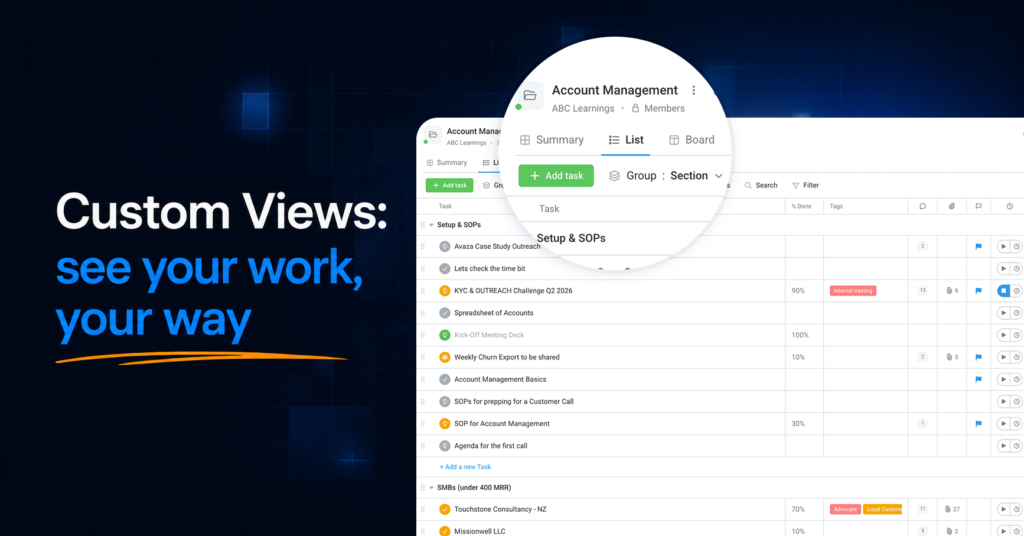
Every team looks at the same work differently. The project manager wants everything overdue, grouped by assignee. The designer wants their own tasks for the week, nothing else. The account lead wants one board of client projects, sorted by deadline.
Until now, getting to your slice of the work meant rebuilding it — reapplying the same filters, re-hiding the same columns, re-sorting the same list, every single time.
Today that ends. Say hello to Custom Views.

Set it up once. Use it forever.
Custom Views let you save any way of looking at your tasks and projects — your filters, your columns, your sorting and grouping — as a named view. Your views live as tabs at the top of the page, one click apart.
- “My overdue tasks.” “Client review board.” “This week’s priorities.” Build the view once, name it, and it’s waiting for you every time you come back.
- Every view remembers everything — not just filters, but which columns you show, how the list is grouped and sorted, even which groups you have expanded.
- Switch instantly. Different views for different moments: your Monday planning view, your Friday wrap-up view, your one-on-one view.
Built for teams, safe by design
Views can be personal — or shared with everyone who uses the page. A shared view means your whole team looks at work through the same lens: same filters, same columns, same order. New team member? They inherit the views your team already refined, instead of starting from a blank list.
And sharing is safe by design: a shared view shares the setup, never the access. Each person sees only the tasks and projects their own permissions allow.
Filters you can actually see
Filters used to hide inside a dialog — you could never tell at a glance why a list looked the way it did. Now your active filters sit right on the toolbar, in plain sight. Add one in two clicks, remove one with a single click, and always know exactly what’s shaping your list.

Your project portfolio, three ways
The Projects page gets the biggest glow-up of all. Alongside the upgraded list, two brand-new layouts arrive:
- Kanban board — see your entire portfolio as cards in columns and drag projects through your pipeline stages, from proposal to delivery.
- Gantt timeline — every project’s start and end dates on one timeline, so capacity crunches and overlaps reveal themselves at a glance.
Both work hand-in-hand with Custom Views: save a filtered board of just your key accounts, or a timeline of everything launching this quarter.

Where you’ll find it
Custom Views are live today on Project Tasks, My Tasks, All Tasks, and All Projects — with more pages joining them soon. Everything you could do before is still there; a few controls simply have smarter homes, and our support guide shows you around in two minutes.